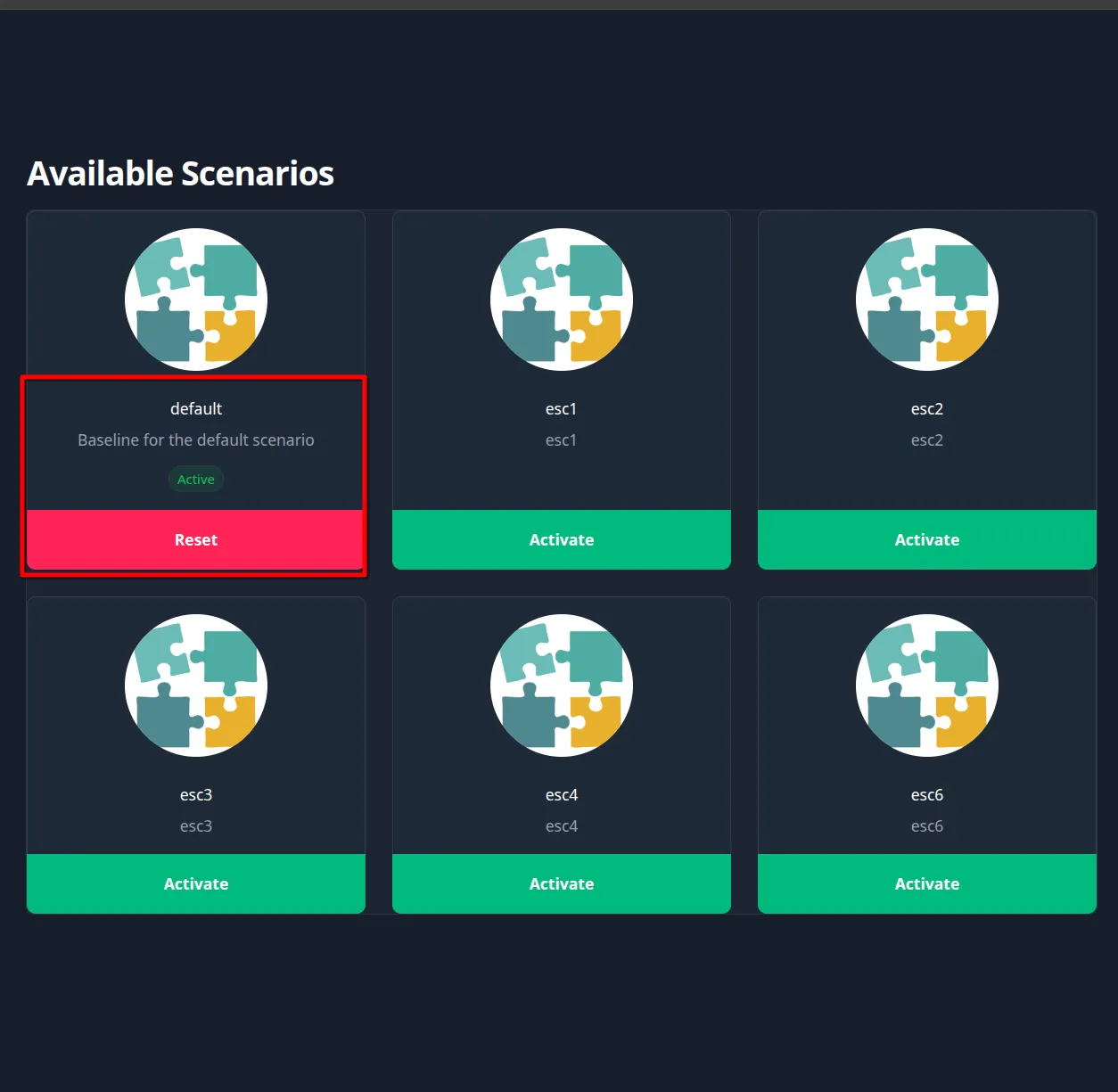
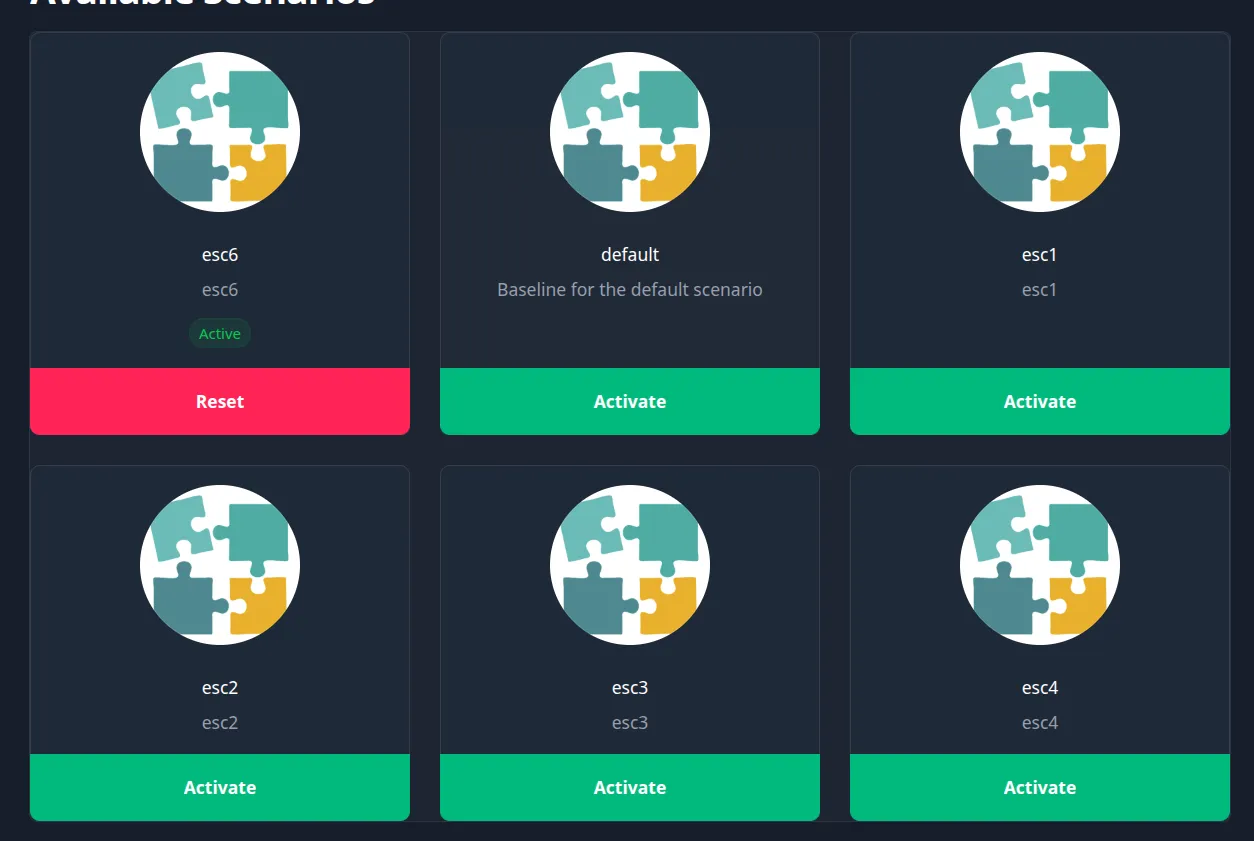
you broke the domain. altered-state doesn’t care: snapshot, diff, fix, done. reset…reconfigure…replay!
functional, opinionated, and not done. use accordingly.
why
because some things are better when learned together. i wanted one machine that could run a bunch of different ADCS scenarios…just not all at once. needed a way to:
- save the state of each one
- switch between them cleanly
how
connects to your DC over LDAP (Kerberos/GSSAPI), snapshots the full directory to a compressed binary, and tracks it by name. when you’re ready to switch scenarios or reset, it diffs current AD state against the target snapshot and generates the PowerShell to close the gap.
pics or it didn’t happen
certipy find -dc-ip 192.168.1.1 -u a.broderick@example.com -dc-host dc01.example.com -p 'Password' -stdout -enabled -vulnerable
Certipy v5.0.4 - by Oliver Lyak (ly4k)

[*] Finding certificate templates
[*] Found 33 certificate templates
[*] Finding certificate authorities
[*] Found 1 certificate authority
[*] Found 11 enabled certificate templates
[*] Finding issuance policies
[*] Found 33 issuance policies
[*] Found 0 OIDs linked to templates
[*] Retrieving CA configuration for 'example-DC01-CA' via RRP
[*] Successfully retrieved CA configuration for 'example-DC01-CA'
[*] Checking web enrollment for CA 'example-DC01-CA' @ 'DC01.example.com'
[!] Error checking web enrollment: [Errno 111] Connection refused
[!] Use -debug to print a stacktrace
[!] Error checking web enrollment: [Errno 111] Connection refused
[!] Use -debug to print a stacktrace
[*] Enumeration output:
Certificate Authorities
  0
    CA Name                             : example-DC01-CA
    DNS Name                            : DC01.example.com
    Certificate Subject                 : CN=example-DC01-CA, DC=example, DC=com
    Certificate Serial Number           : 283955EB8CFA60964D4F3763C9A7ED01
    Certificate Validity Start          : 2026-05-22 19:17:20+00:00
    Certificate Validity End            : 2031-05-22 19:27:19+00:00
    Web Enrollment
      HTTP
        Enabled                         : False
      HTTPS
        Enabled                         : False
    User Specified SAN                  : Disabled
    Request Disposition                 : Issue
    Enforce Encryption for Requests     : Enabled
    Active Policy                       : CertificateAuthority_MicrosoftDefault.Policy
    Permissions
      Owner                             : example.com\Administrators
      Access Rights
        ManageCa                        : example.com\Administrators
                                          example.com\Domain Admins
                                          example.com\Enterprise Admins
        ManageCertificates              : example.com\Administrators
                                          example.com\Domain Admins
                                          example.com\Enterprise Admins
        Enroll                          : example.com\Authenticated Users
Certificate Templates                   : [!] Could not find any certificate templates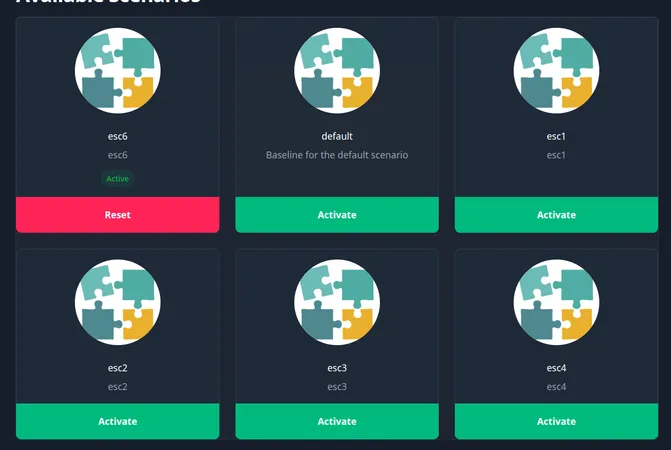
certipy find -dc-ip 192.168.1.1 -u a.broderick@example.com -dc-host dc01.example.com -p 'Password'
[*] Enumeration output:
Certificate Authorities
  0
    CA Name                             : example-DC01-CA
    DNS Name                            : DC01.example.com
    Certificate Subject                 : CN=example-DC01-CA, DC=example, DC=com
    Certificate Serial Number           : 283955EB8CFA60964D4F3763C9A7ED01
    Certificate Validity Start          : 2026-05-22 19:17:20+00:00
    Certificate Validity End            : 2031-05-22 19:27:19+00:00
    Web Enrollment
      HTTP
        Enabled                         : False
      HTTPS
        Enabled                         : False
    User Specified SAN                  : Enabled   <-- CHECK IT OUT
    Request Disposition                 : Issue
    Enforce Encryption for Requests     : Enabled
    Active Policy                       : CertificateAuthority_MicrosoftDefault.Policy
    Permissions
      Owner                             : example.com\Administrators
      Access Rights
        ManageCa                        : example.com\Administrators
                                          example.com\Domain Admins
                                          example.com\Enterprise Admins
        ManageCertificates              : example.com\Administrators
                                          example.com\Domain Admins
                                          example.com\Enterprise Admins
        Enroll                          : example.com\Authenticated Users
    [!] Vulnerabilities
      ESC6                              : Enrollee can specify SAN.
    [*] Remarks
      ESC6                              : Other prerequisites may be required for this to be exploitable. See the wiki for more details.
configuration
copy config.example.json to config.json in the same directory as the binary:
{
    "domain": "example.com",
    "hostname": "dc01.example.com",
    "never_touch_these_attributes": [  // not kidding, you will screw things up
    "certificatetemplates",
    "cn",
    "objectcategory"
]
}| field | description |
|---|---|
domain |
AD domain FQDN |
hostname |
domain controller FQDN used for LDAP bind |
never_touch_these_attributes |
excluded from comparison and remediation. leave these alone. |
build
cargo build --releasebuild script copies wwwroot/ and config.json next to the binary automatically.
commands
init —> start here
snapshot current AD state as the default scenario baseline. run this on a clean lab before you touch anything.
altered-state.exe init [--overwrite] [--template <path>]new —> name a scenario
captures a new baseline snapshot under a custom name. optionally init from a template (copies hooks, image, exclusions).
altered-state.exe new --name <name> [--description <desc>] [--template <path>] [--overwrite]delete -> deletes a scenario
it’s okay, you can delete things too. if it’s the current, active scenario it will activate the pre-defined default before deleting
altered-state.exe delete --name [--force]snapshot -> take a picture, it lasts longer
you made a few changes, you want to save them and see how it goes, use this
altered-state.exe snapshot --scenario <scenario> --description <desc>list -> pretty prints all the scenarios & snapshots
see all the hard work you’ve done, with or without the details
altered-state.exe list [--detailed]activate —> apply a scenario
diffs current AD state against the scenario snapshot and executes whatever PowerShell is needed to get there.
altered-state.exe activate --scenario <name> [--state baseline|current|snapshot-#]update -> need to change something?
right now you can change the description of the scenario and designate which file should be used for play
altered-state.exe update --name <name> [--description <desc>] [--set-playable baseline|current|snapshot-#]reset —> something broke. run this
restores the active scenario to its saved playable_state setting.
altered-state.exe reset --name <name>serve —> web ui for players
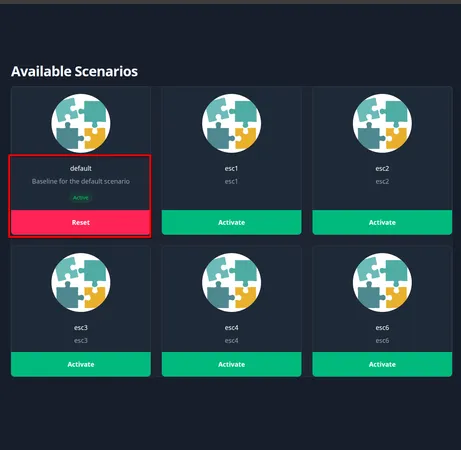
spins up a minimal web interface so players can switch and reset scenarios without touching the CLI. they get activate and reset. nothing else.
altered-state.exe serve [--port 5000]global flags
--config <path>    path to config.json (defaults to executable directory)
-v / -vv / -vvv   verbosity
scenario structure
each scenario lives under scenarios/<name>/:
scenarios/
  esc1/
    config.json       # scenario config: hooks, image, exclusions
    baseline.bin      # compressed LDAP snapshot
    snapshot-1.bin    # additional saved snapshot
    activation.ps1    # runs on activation
    cleanup.ps1       # runs on cleanup
    esc1.jpg          # optional scenario image
config.json
{
    "name": "esc1",
    "description": "ADCS ESC1 misconfiguration",
    "image_path": "...",
    "hooks": [
        {
            "hook_type": "Activation",
            "path": "C:\\path\\to\\activation.ps1",
            "arguments": [],
            "continue_on_error": true
        },
        {
            "hook_type": "Cleanup",
            "path": "C:\\path\\to\\cleanup.ps1",
            "arguments": [],
            "continue_on_error": true
        }
    ],
    "exclusions": [],
    "snapshots": [
        {
            "name": "snapshot-1",
            "description": "test1",
            "created_at": "2026-05-25 19:31:41.438812700 UTC",
            "file_path": "C:\\path\\to\\scenarios\\esc1\\snapshot-1.bin"
        }
    ],
    "playable_state": "snapshot-1"
}
hook types: Activation, Cleanup, PreAction
workflow (lab creators)
# 1. clean slate
altered-state.exe init

# 2. configure your scenario, then snapshot it, activates automatically
altered-state.exe new --name esc1 --template templates/esc1/config.json

# 3. back to baseline
altered-state.exe reset --name default

# 4. update a scenario to change the playable_state
altered-state.exe update --name esc1 --description "wow this is cool" --set-playable "snapshot-1"